DiscFi DiscFi Tags

Play the round. We do the paperwork.

DiscFi turns your club's UDisc rounds into a stats site that keeps itself current: standings, every player's season, aces and closest-to-pin, and a weekly recap that keeps the club talking. Run tags too? Tags Master makes your Tag Master's night easier, and everything they do at the event lands in your stats on its own.

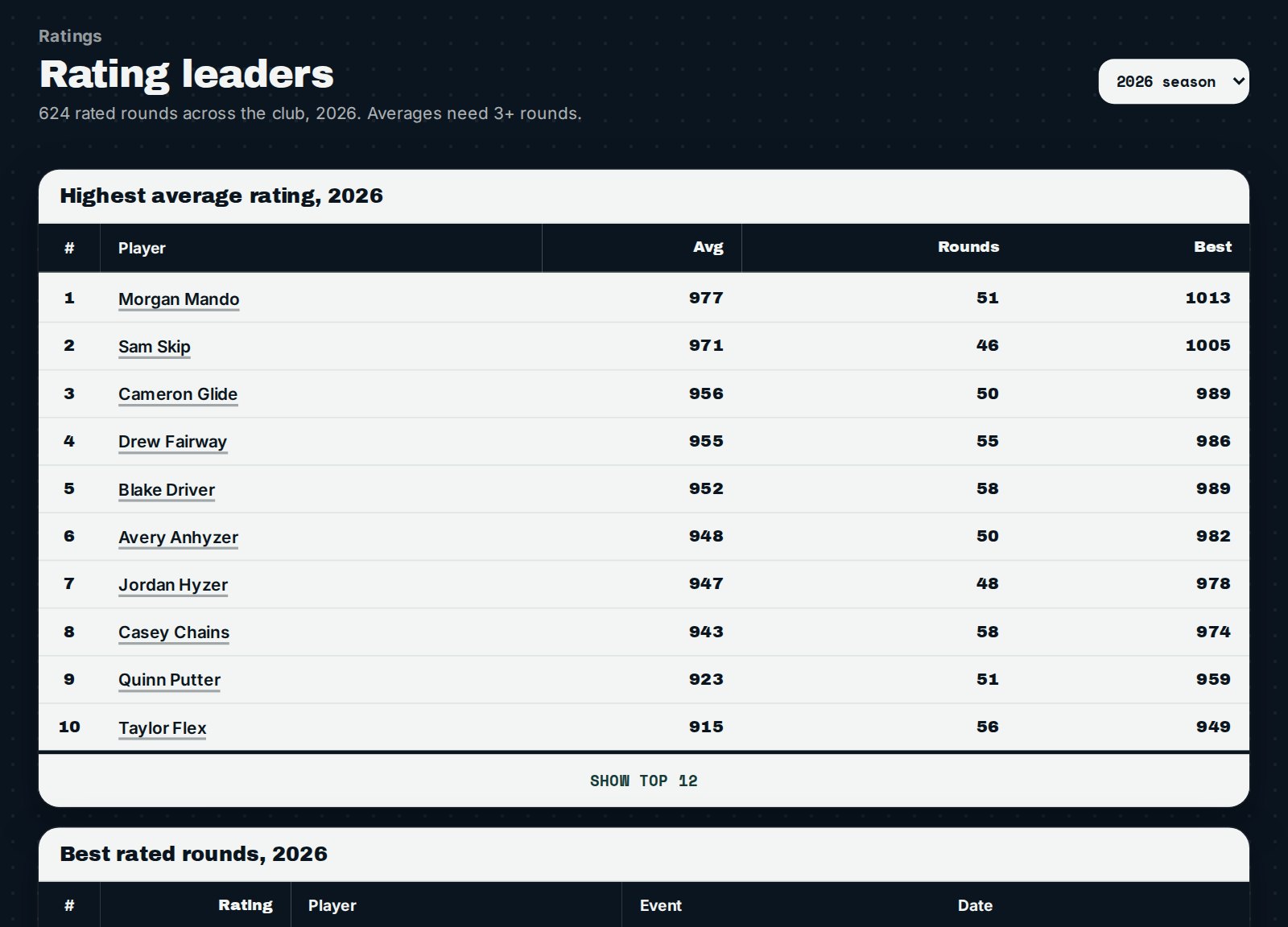
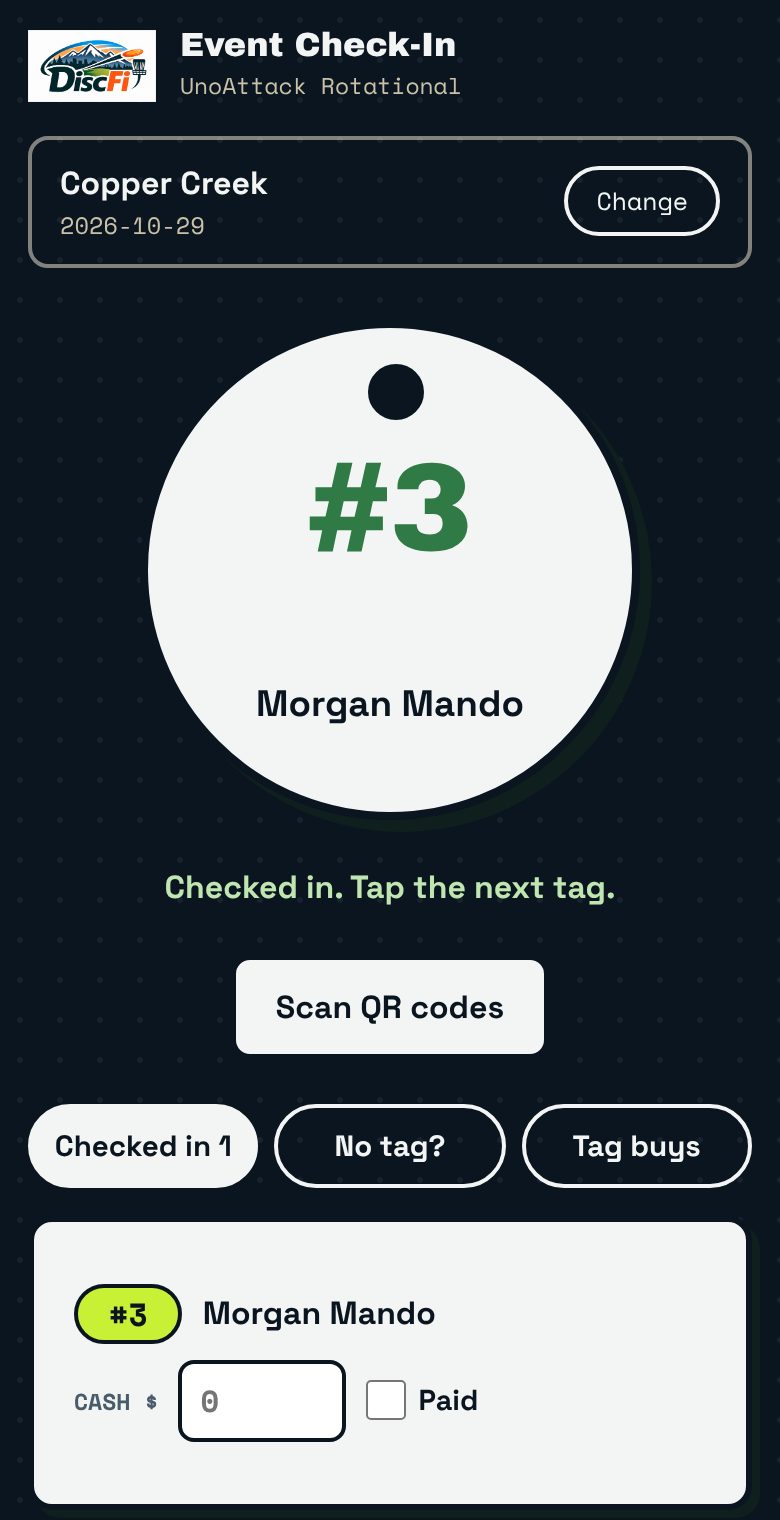
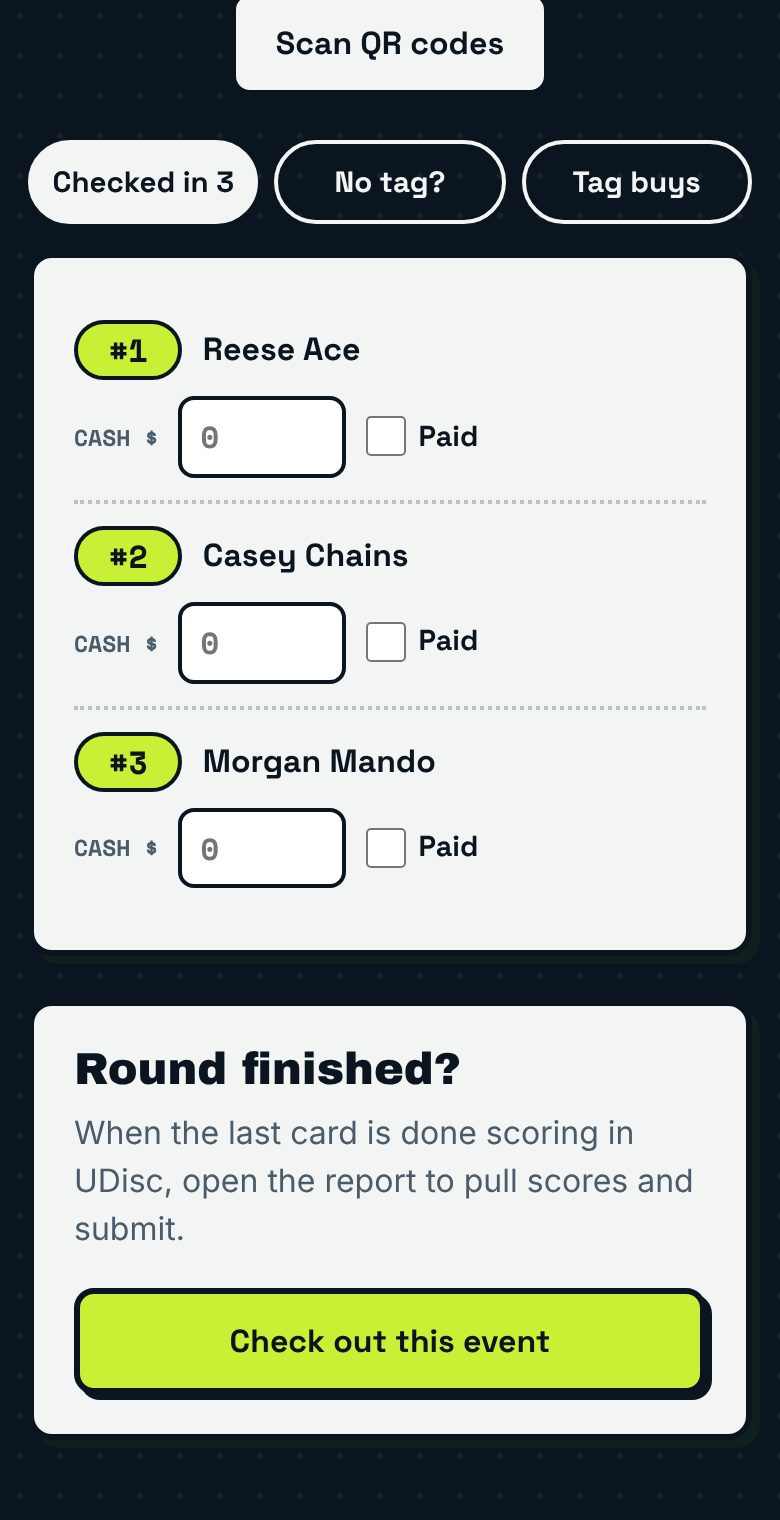
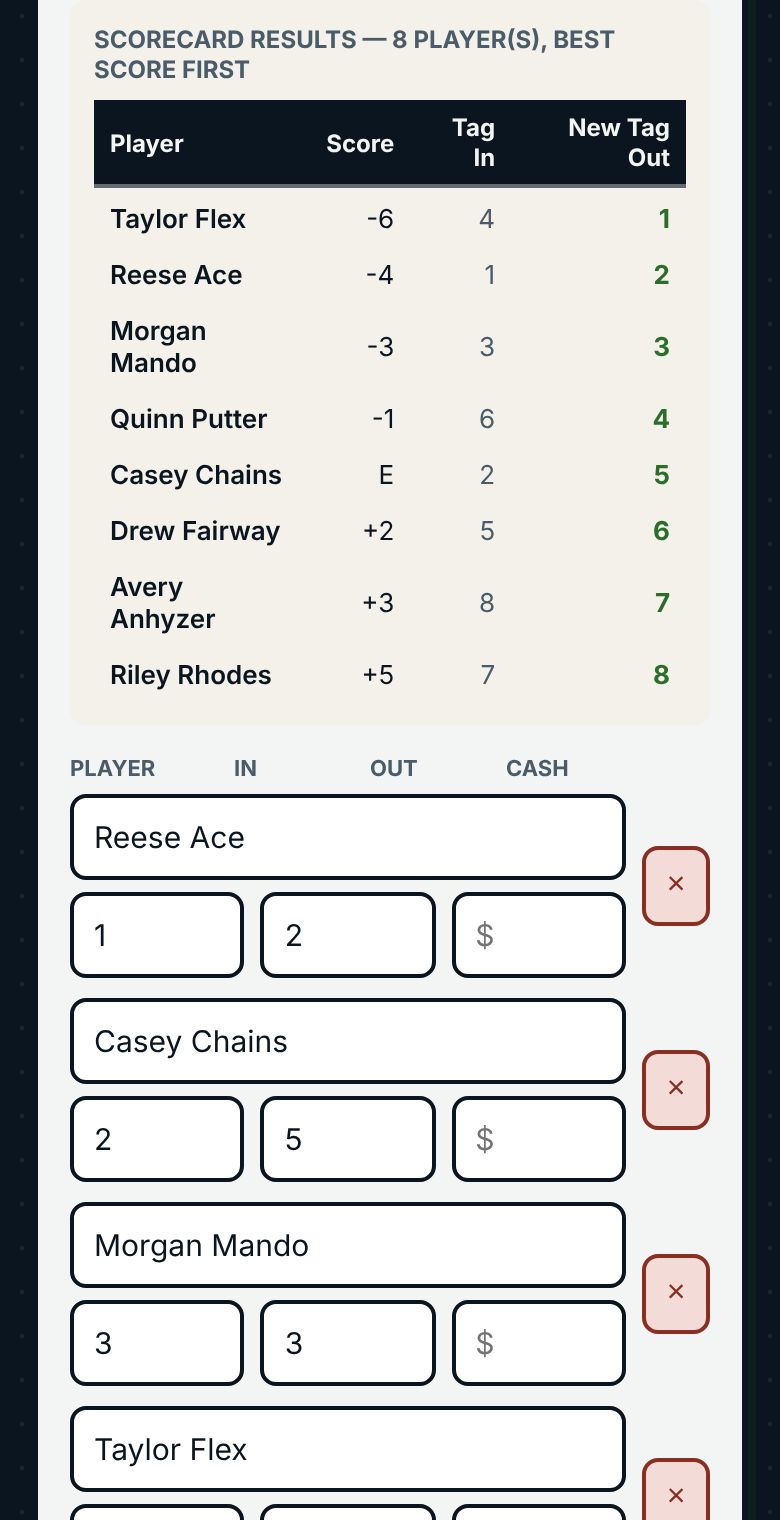
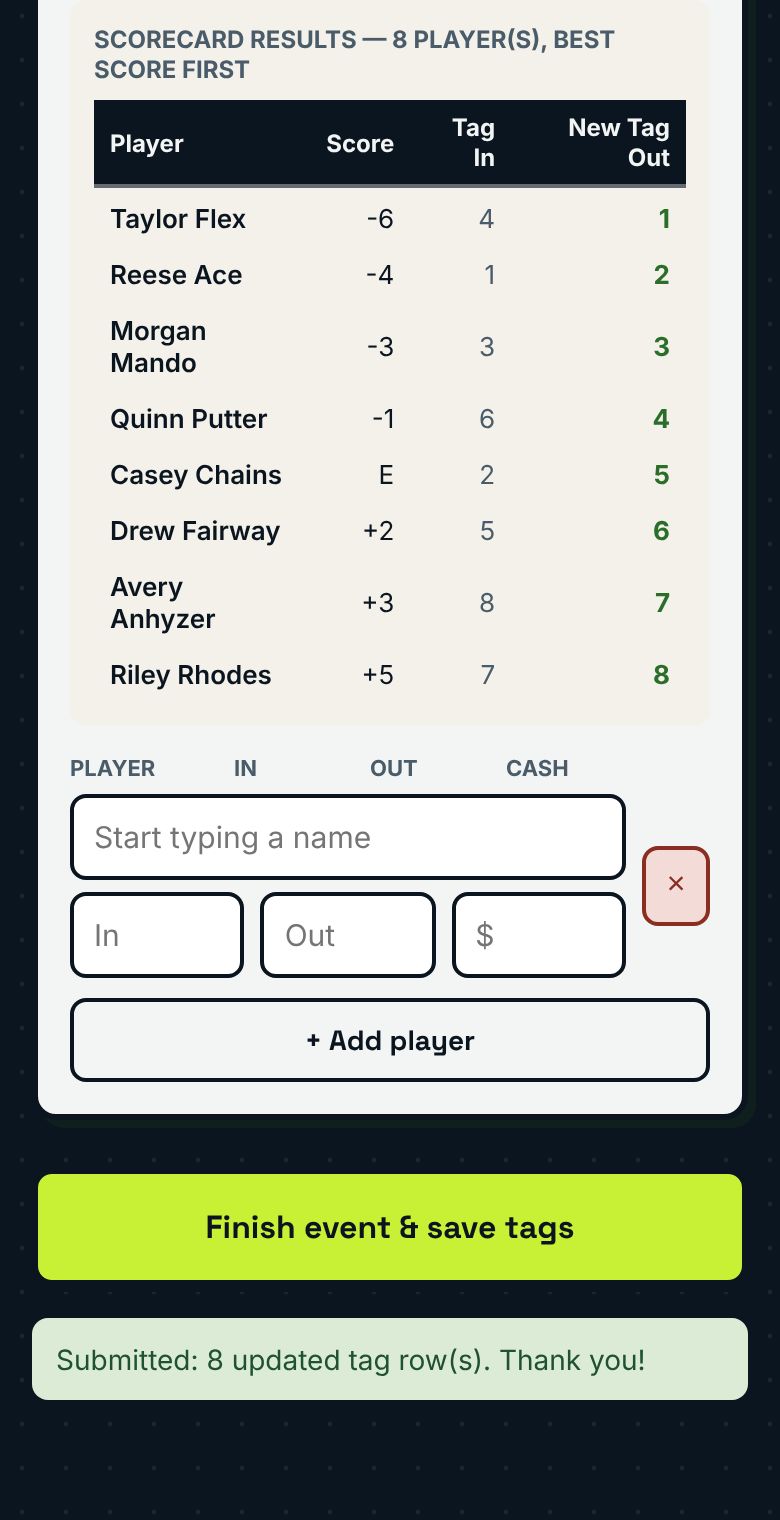
Tap or scan each player in. The Tag Master taps an NFC tag or scans a QR code and the player is in with their tag number.Everyone checked in, in one list. Names, tags and cash buy-ins fill in as players check in.Live UDisc scores. After the round, the Tag Master report pulls the scores and works out the new tags, best score first.Finish the event in one tap. Tap Finish event & save tags and standings, stats and the weekly recap pick up the new tags.Club Engagement. See who is showing up, who drifts away and which courses draw the most players.Rating leaders for the whole club. See who has the highest average rating and the best rounds of the season, for the whole club or one event.

Two ways to use DiscFi

Stats are the heart of DiscFi. Tags Master adds tag night on top, so the work your Tag Master does at the event feeds the same stats with no extra step.

Stat Tracking

Your club’s results, standings and players, kept current without anyone typing them in.

  • Pulls from UDisc every day. Scores come straight from your league's UDisc events.
  • Standings that stay current. Course and overall standings, aces and closest-to-pin on your club's own stats site.
  • A season page for every player. Players pick their name and see every event they played this year, newest first: finish, score, rating and tag moves.
  • Keeps the club engaged. Club highlights and a weekly Facebook recap keep people talking between events, with no extra work from your officers.
Tags Master

Includes everything in Stat Tracking, plus an easier tag night for your Tag Master. What they do at the event flows into your stats on its own.

  • Check in by name, a tap or a scan. Find a player in the list and type in their tag number, no special tags needed. Or, when your club is ready, the Tag Master taps a player’s NFC tag or scans its QR code, and they’re in with their tag number. A whole card is checked in within a couple of minutes.
  • Check-out is immediate. When the last card is finished in UDisc, the Tag Master report pulls the scores and hands out the new tags, best score first. Submit, and your stats update on their own.
  • Works with no signal. Offline mode keeps check-in and scoring going on the phone, then syncs when service returns.
  • Players join from their phone. New players register online and pay cash to the Tag Master now, Venmo soon.

Stats your players and directors will use

Every club gets a stats site that updates itself from UDisc and the Tag Master report. These screens are from our demo club with made-up players.

For players: the club page

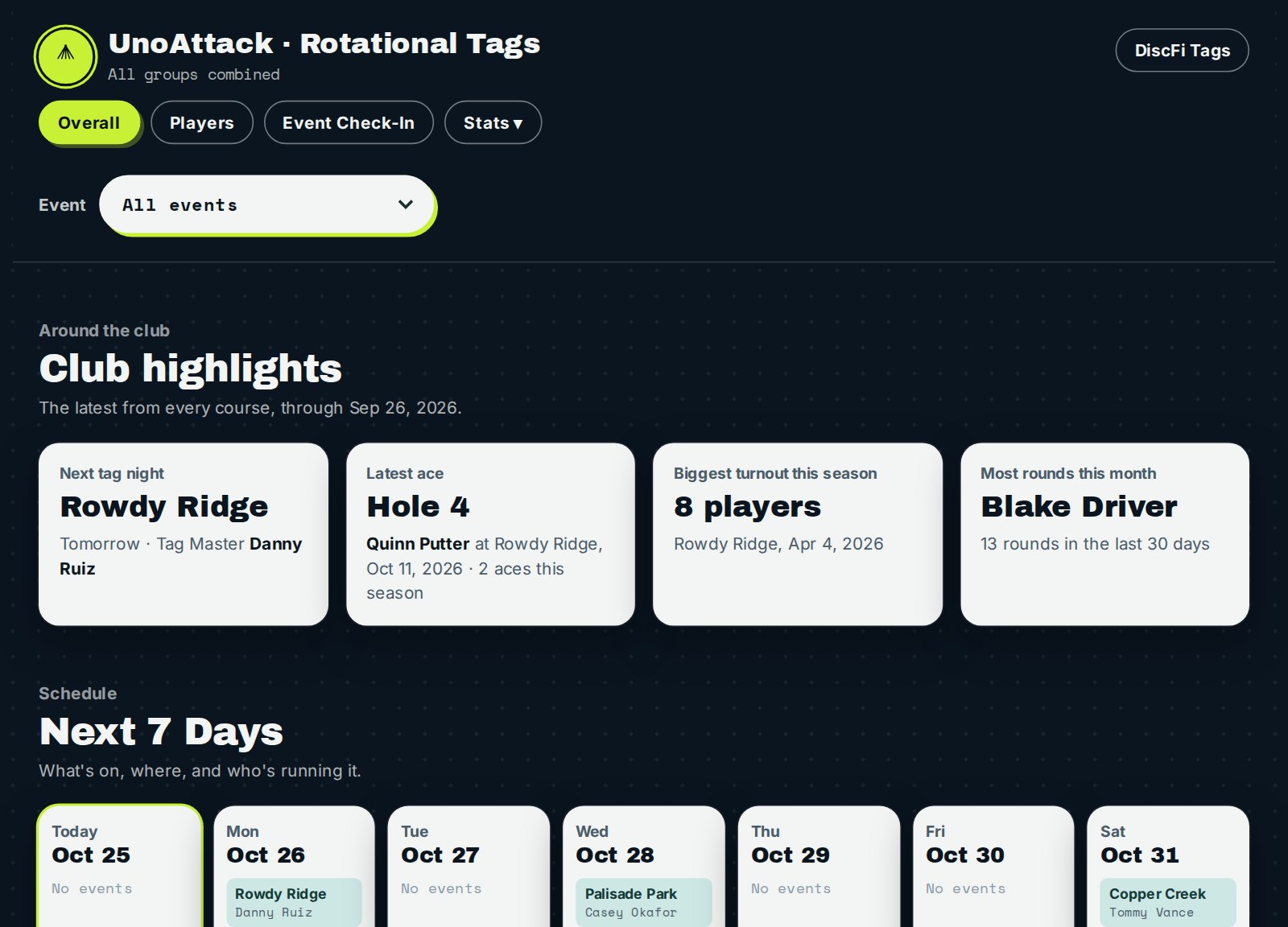
Club page overall view with club highlights, the next seven days and the Event menu
Every course at once. Highlights, what's on this week, stat leaders and course details.
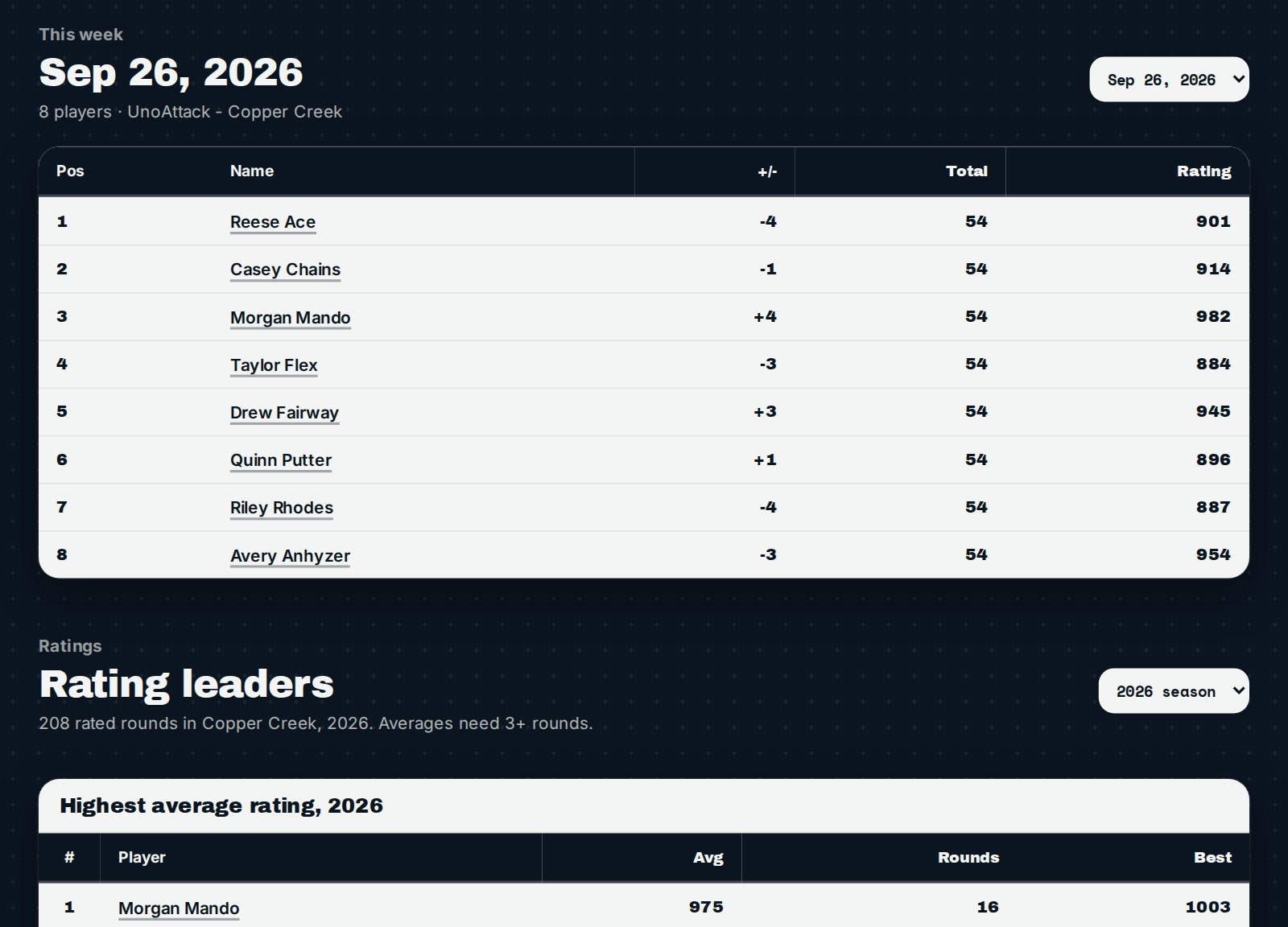
Club page for one event showing the full results with score, total and round rating
One event. The full results for the night with score, total and UDisc round rating.
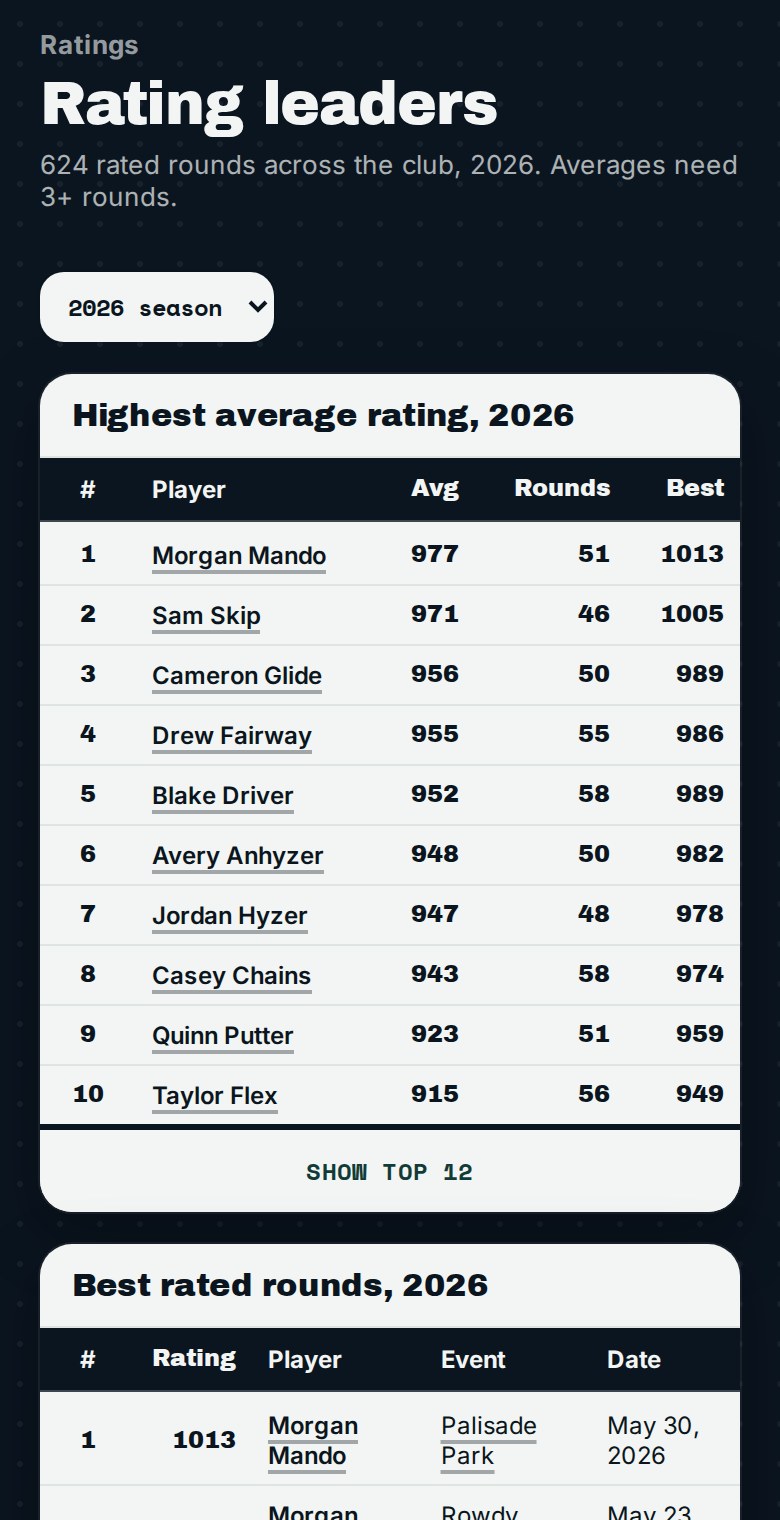
Rating leaders showing the highest average rating and the best rated rounds of the season
Rating leaders. The best average rating and the best rounds of the season.

For league directors: Club Engagement

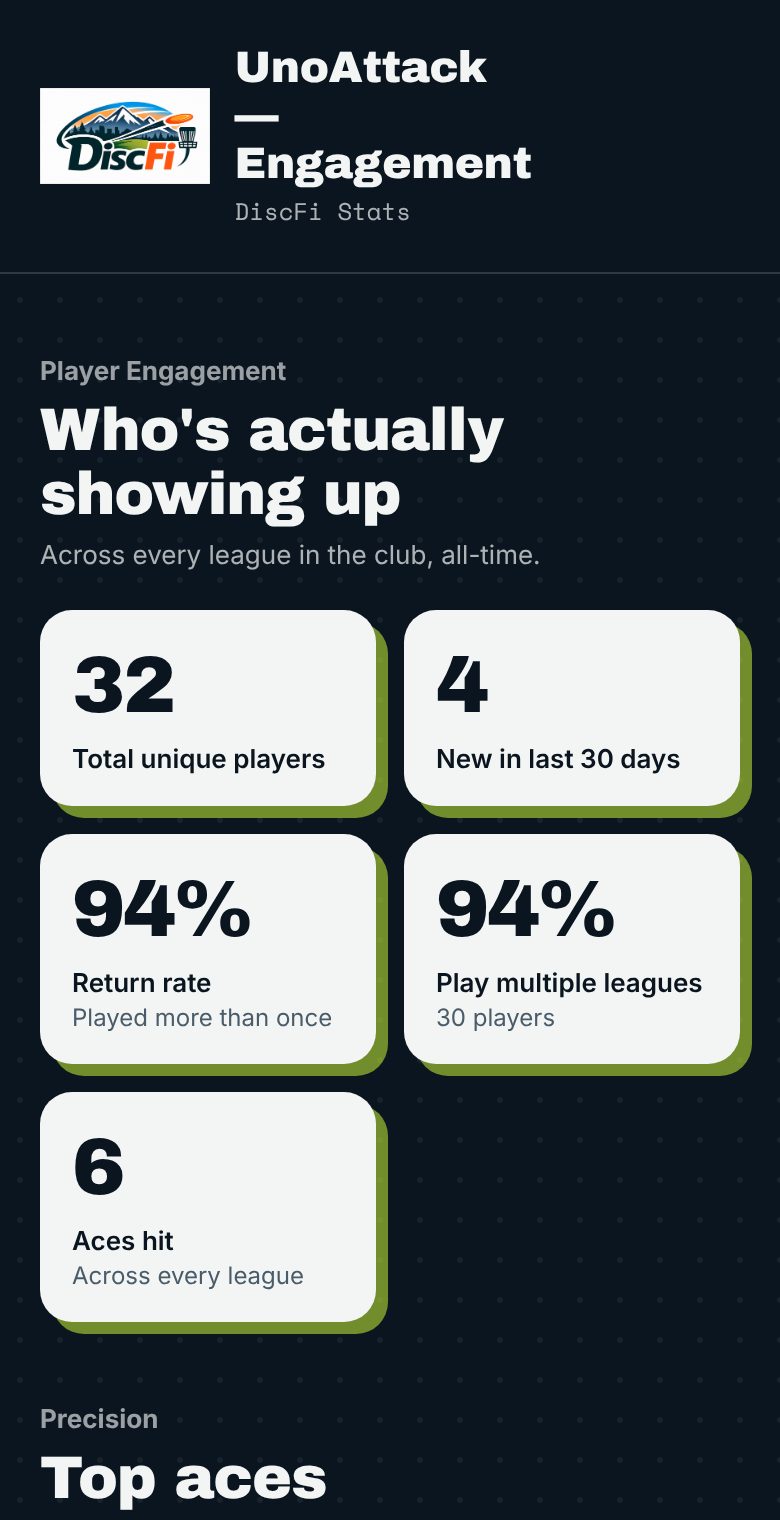
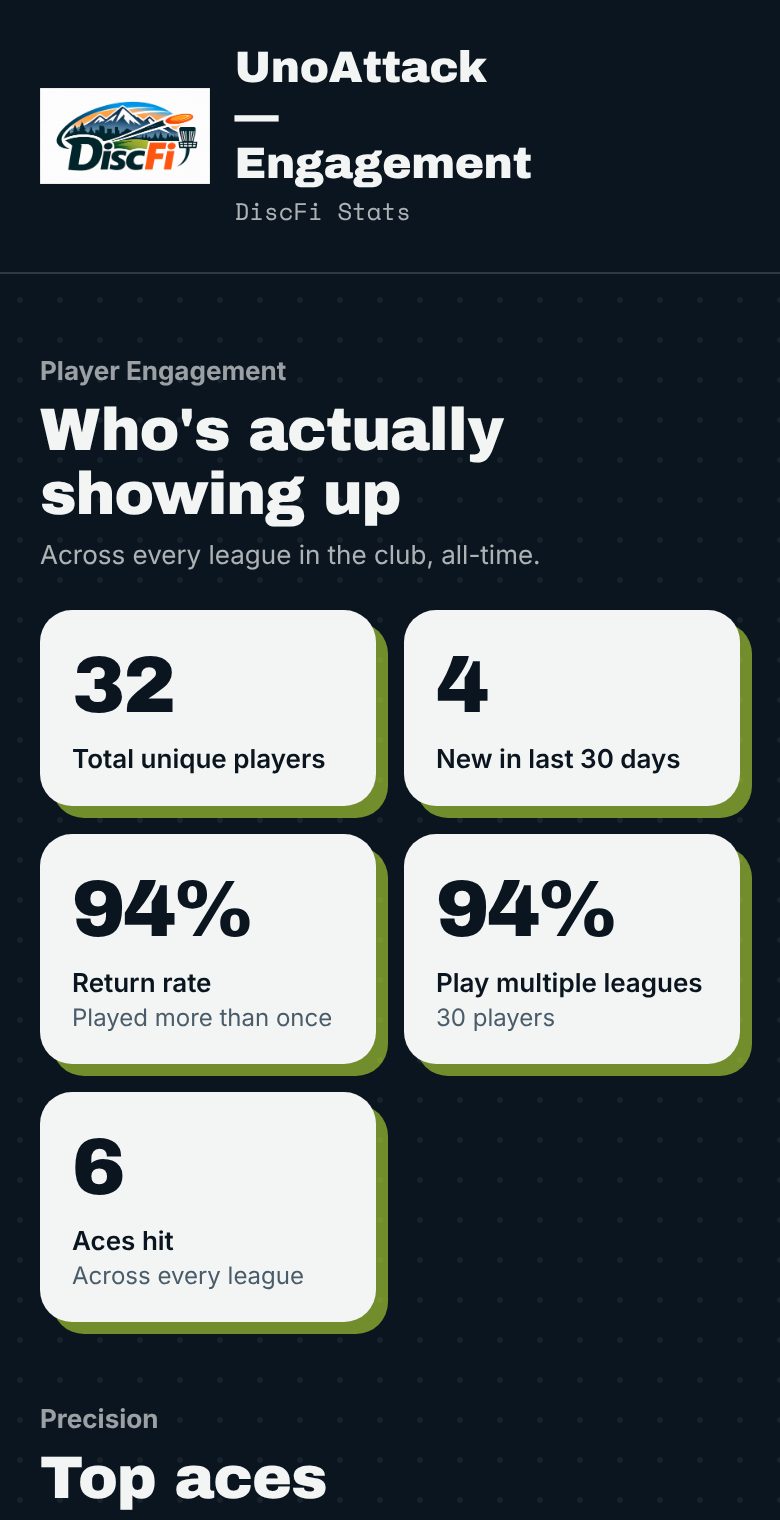
Club Engagement: total players, new players, return rate and aces
Who is showing up. Total and new players, return rate, and how many play more than one league.
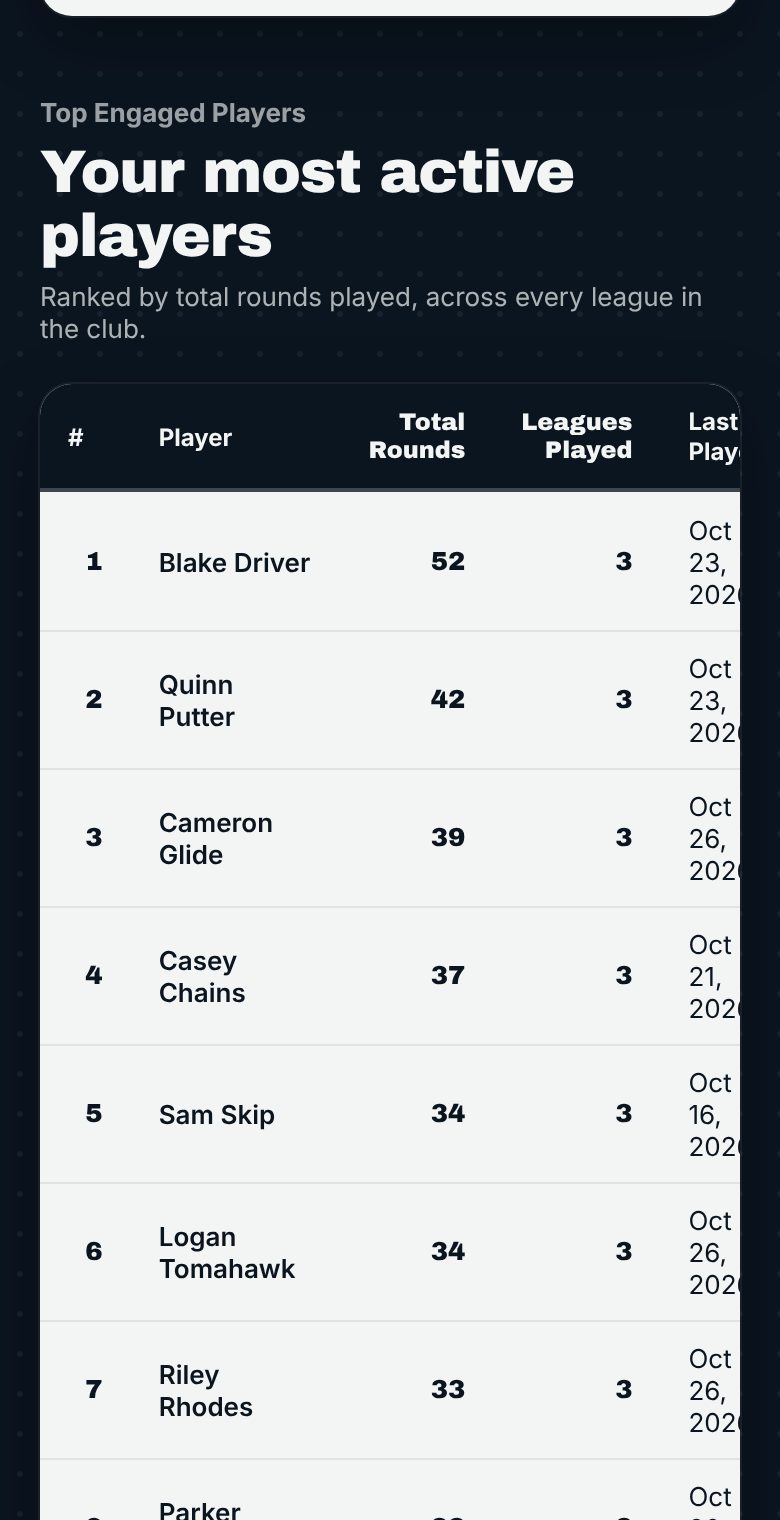
Club Engagement: most active players ranked by rounds played
Your most active players. Everyone ranked by rounds played across every league.
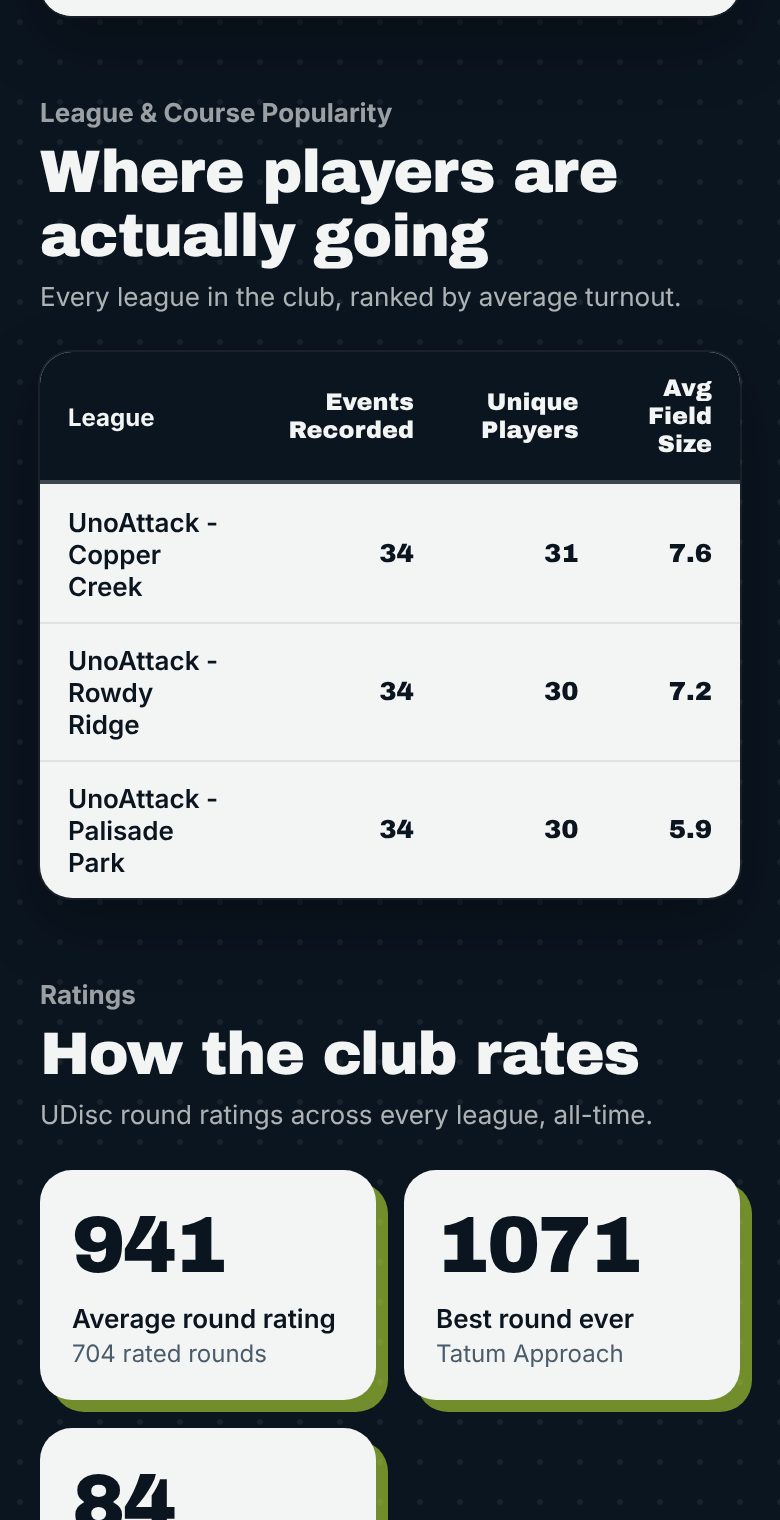
Club Engagement: leagues and courses ranked by average turnout
Where players go. Every league and course ranked by average turnout.
See live stats

Pick the kind of tags your club plays

Every club chases tags a little differently. The Club Master chooses one type, and DiscFi tracks it from there.

Offline Tags

For courses with no signal. The Tag Master scores the round hole by hole on a phone, and it syncs to DiscFi when service returns.

Rotational (Physical) Tags

The classic. Numbered tags change hands after each round, and the Tag Master logs the swaps so the whole club can see who holds what. They find each player in the Tags Master list and type in the tag number, so you can start today with the tags you already have.

Virtual Tags

No plastic to carry or lose. Players hold tag numbers on the platform, and they move automatically when the round is scored.

Check players in by name or with a tap/scan

Start today with no special tags. The Tag Master opens the Tags Master report, picks the night’s event, finds each player in the list and types in their tag number.

Want it faster? Give each player a small NFC tag or a QR sticker. The Tag Master opens Event Check-In from the club page, picks the event, then taps each tag (Android) or scans each code with the camera (iPhone or Android). Every player is checked in with their tag number on screen. It works with every tag type above, even offline, and it’s entirely optional.

How tap and scan check-in works

A tag night, start to finish

What your Tag Master does at the event, and how it reaches your stats.

  1. Check in

    Open Event Check-In, pick the event, and tap or scan each player’s tag. No sheet to pass around and nothing to type up afterward.

  2. Play

    Everyone plays the round and keeps score in UDisc as usual. No signal on the course? Offline mode keeps the night going.

  3. Check out the moment scoring ends

    When the last card finishes in UDisc, one button on the Tag Master report pulls the scores and hands out the new tags, best score first. Check it, settle the cash game, submit. Done.

  4. Stats update on their own

    Standings, player season pages, the Tag Tracker and the weekly Facebook recap all reflect the night. Nothing to type up.

Venmo coming soon

Sign up and pay in one place

New players register from their phone and show up on the Tag Master report marked New, with whether they’ve paid and a box to tick once they have their tag.

Clubs that run virtual tags sell them here too. A player registers, buys their season tag, and gets a virtual tag number that moves with them as they play. There’s no disc to carry, and scanning their tag shows their current number.

Yearly tags, virtual or physical, can be paid with Venmo or cash. The nightly cash game stays cash only for now: players pay the Tag Master at check-in, who ticks them paid, and it goes into the CTP and Ace pots.

New to a club on DiscFi? Register here.

Nightly cash game
Cash only, paid to the Tag Master. Goes into the CTP and Ace pots
Yearly tag: virtual
Buy your season tag with Venmo or cash and play with a tag number that follows you
Yearly tag: rotational and offline
Pay with Venmo or cash. The Tag Master sees your payment and hands you a physical tag

What every club site includes

The pages your players already use, built from your club's own results.

Course tabs

Standings for every course your club plays.

Overall

A season-long view across all courses.

Tag Tracker

Who holds which tag, and how it got there.

Aces

Found automatically from any hole score of 1.

Tag Master check-in

Your Tag Master checks players in on tag night.

Club schedules

Upcoming events, one place to find them.

New to bag tags?

Whoever plays best each round moves up to a lower tag number. Lower tag, better standing in the chase. Anyone can join in, and the numbers keep every round meaningful.

Curious how other clubs run it? Falling Putt explains club tags.

Learn about virtual tags
UDisc

DiscFi runs on results from UDisc. If your club uses UDisc leagues, please consider a paid UDisc subscription to support the app that makes this possible.

DiscFi is an independent service and is not affiliated with, endorsed by, or sponsored by UDisc. UDisc is a trademark of its respective owner.