
How a tag night works.
UnoAttack is our demo club. Try it live below, or click through the steps.
Start here
Pick who you are and try the real thing. It takes under a minute.
Three ways to run tags
Same club, same courses: Rowdy Ridge, Palisade Park and Copper Creek. Open any version and click through it like a player would.
Rotational
Physical tags change hands every week. Players bring the tag they hold, and the best score takes the lowest tag.
Best for clubs that already pass tags around and want the bookkeeping done for them.
Virtual
Each player keeps one tag all season. Their number moves online after every round, so nothing changes hands.
Best for clubs tired of lost tags and handoffs at the end of the night.
Offline
For courses with no signal. The Tag Master keeps the scorecard on their phone, and it syncs once they're back online.
Best for courses in a canyon, in the woods, or anywhere a phone gives up.
How a tag night works
Four steps. Tag Master screens need the club's Tag Master code. The screens below are real, with made-up players.
-
Check in
The Tag Master checks each player in: find them in the list and type their tag number, or tap their NFC tag or scan their QR code.
-
Play
Everyone plays the round and keeps score in UDisc as usual. Offline clubs keep score on the Tag Master's phone.
-
Finish the event
On the Tag Master report, one button pulls the round's scores and hands out the new tags, best score first.
-
Standings update
The club page, stats and weekly recap reflect the new tags. Virtual players keep their tag; only the number moves.
Players bring the tag they hold, hand it over at check-in and give any cash-game buy-in to the Tag Master. Nothing to install or sign up for. Also check in to the event in UDisc: UDisc runs the scoring, DiscFi keeps the tags.
1. Check players in
Pick how your club does it. Tapping or scanning is optional; how it works.
2. After the round
The Tag Master finishes the event and every new tag is worked out by score.
3. Club Engagement
For whoever runs the club, built from results your Tag Master already enters. See the live stats.
What your club page shows
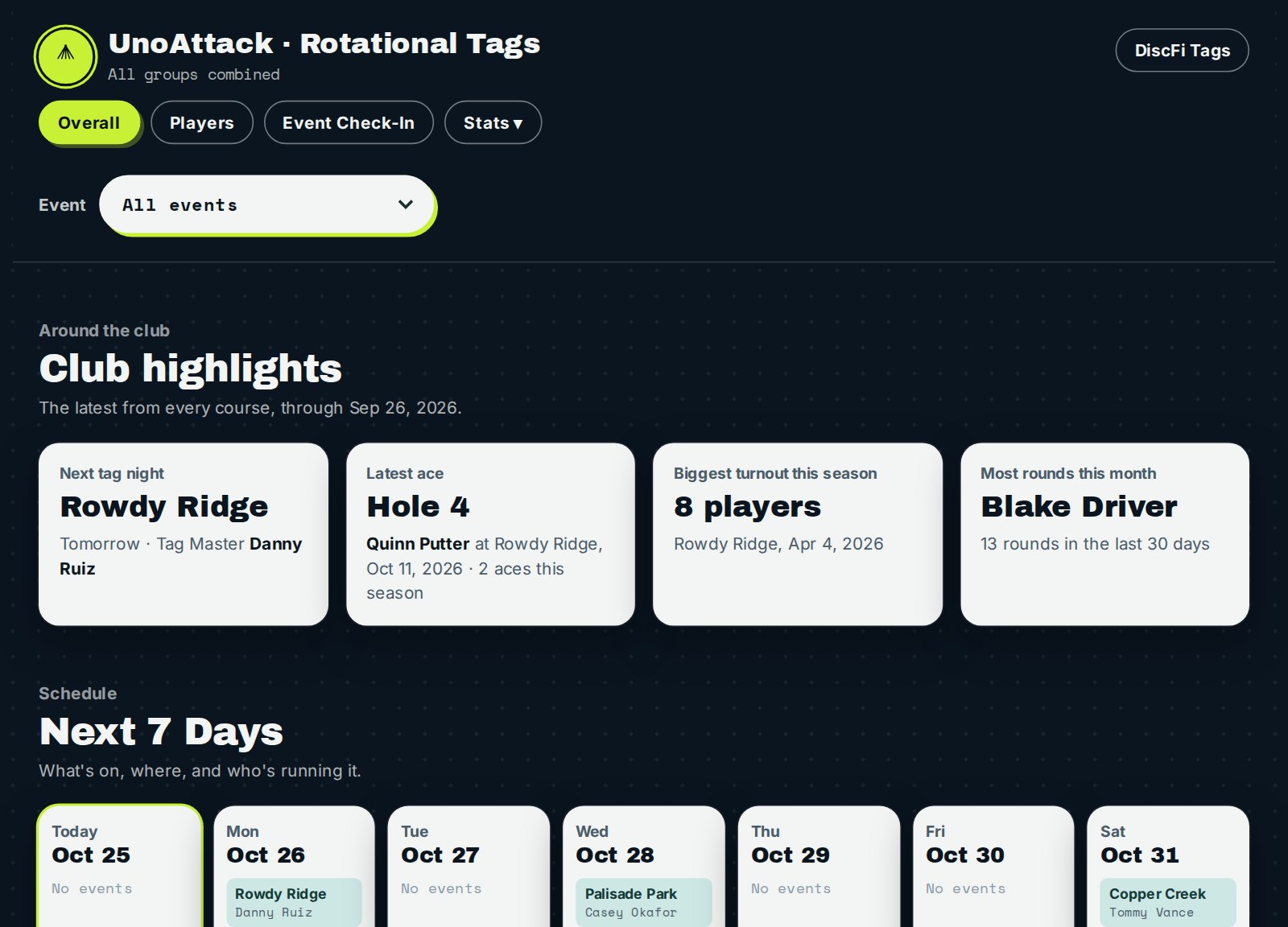
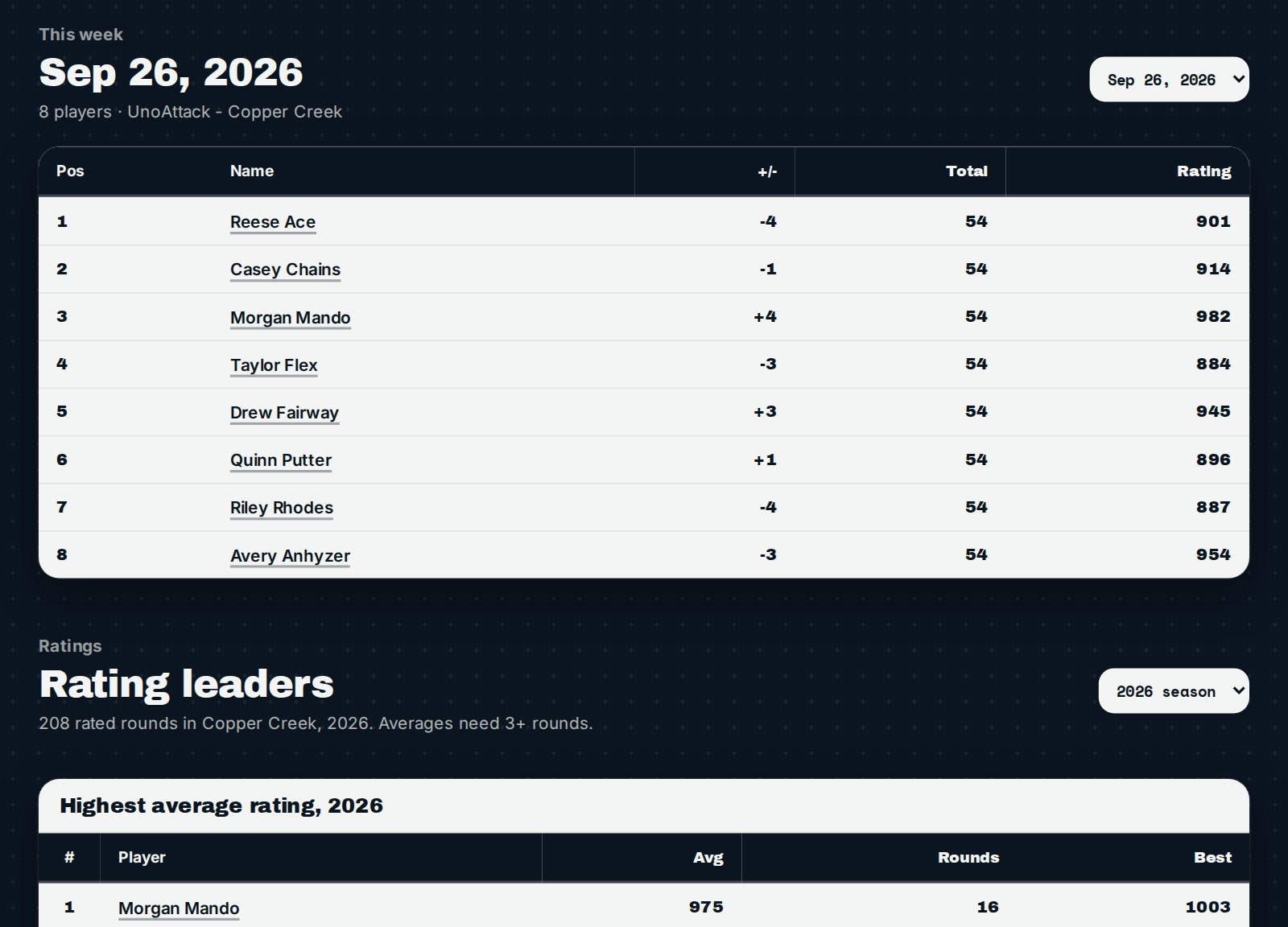
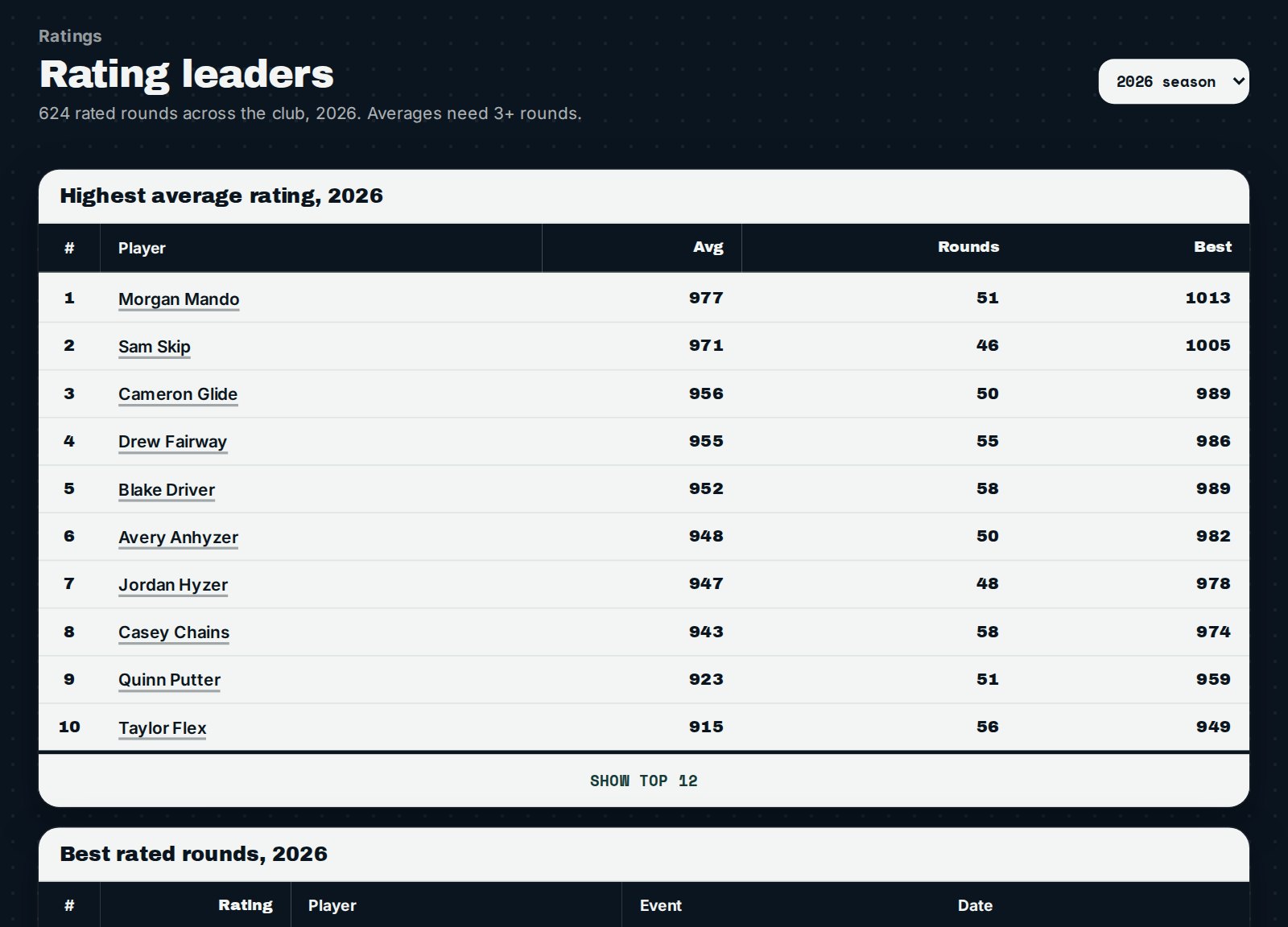
Every club gets a page that updates itself. These are from the demo club with made-up players; open the club pages above to explore it live.
Want this for your club?
Pick the way your club plays tags and we'll set it up: club page, Tag Master report, check-in and registration.